
WinForms has drawn with GDI+ since .NET 1.0, and GDI+ draws on the CPU. Every grid line, every fill and every character of every visible cell is put on screen by the processor, frame after frame. A spreadsheet maximised on a 1440p monitor shows more than a thousand cells, so that cost is paid on every scroll step. It is why a large sheet in a WinForms app has always scrolled a little heavier than you would like.
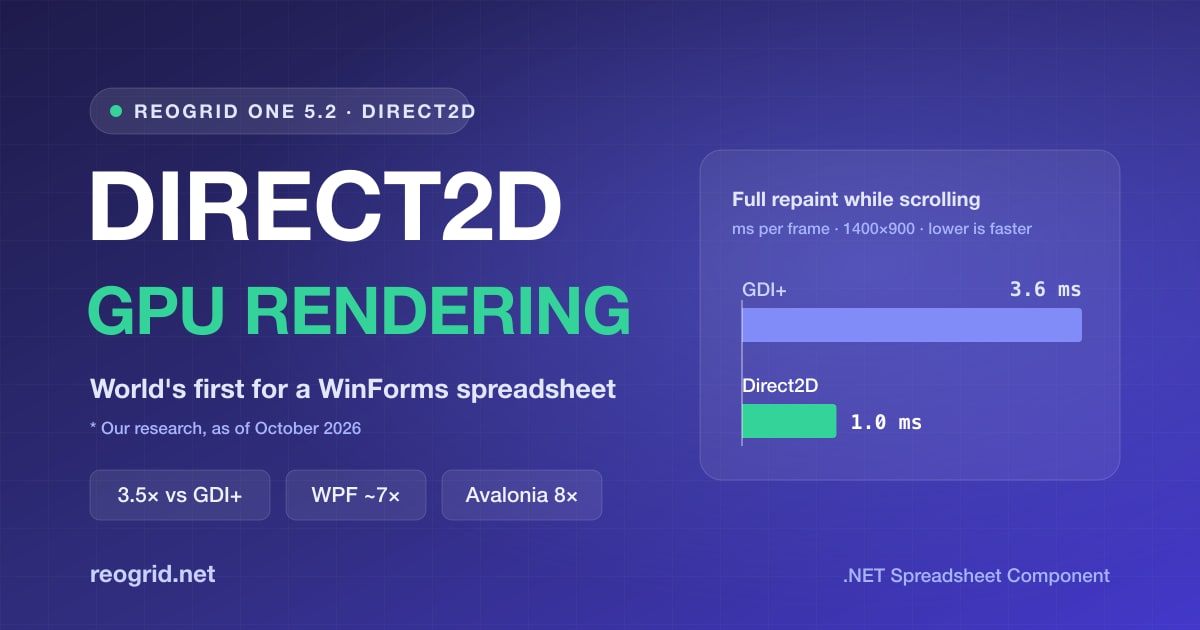
ReoGrid One 5.2 gives the WinForms control a second renderer: Direct2D. Cells are drawn on the GPU, and text is laid out with DirectWrite. It takes one property to turn on, and a full repaint while scrolling drops from 3.6 ms to 1.0 ms.
As far as we can find, this makes ReoGrid One the world’s first WinForms spreadsheet component with Direct2D hardware acceleration.
About “world’s first”. In October 2026 we went through the major commercial spreadsheet components for WinForms and found none that draws with Direct2D. One vendor states outright that its WinForms spreadsheet does not support its own DirectX rendering. Hardware acceleration in general is not new: WPF draws through DirectX, and some WinForms data grids can draw with DirectX. The claim is about spreadsheet components for WinForms (our research, as of October 2026).
Direct2D is the headline, and much more of 5.2 got faster with it. WPF and Avalonia now draw each frame several times faster, sheets full of merged cells or checkboxes draw in a fraction of the time, and values go into multi-sheet workbooks about twice as fast. This article goes through each, with the numbers.
At a glance
| Platform | What we measured | Before | 5.2 | |
|---|---|---|---|---|
| WinForms | Full repaint while scrolling, 1400×900 window | 3.6 ms (GDI+) | 1.0 ms (Direct2D) | about 3.5× |
| WPF | UI-thread time per frame while scrolling, 1400×900 | about 10 ms | about 1.5 ms | about 7× |
| Avalonia | Maximised window at 150%, 108 cells updated every frame | 15 fps | 120 fps | 8× |
| All | One frame of a 100,000-row sheet with 50,000 merged cells (GDI+) | 148–160 ms | 9.4 ms | about 16× |
“Before” is 5.1, with two exceptions: the Avalonia frame rate was measured on 5.0.0, and for WinForms it is the GDI+ renderer, which is still the default. Times are per frame, so lower is better. How and on what machine we measured is at the end of the article.
Turning on Direct2D
Set one property on the control:
using unvell.ReoGrid.WinForms;

grid.Renderer = GridRenderer.Direct2D;

// Where Direct2D cannot run, the control keeps drawing with GDI+
if (grid.ActiveRenderer != GridRenderer.Direct2D)
    Console.WriteLine("Drawing with GDI+");
Your application code stays the same. Workbook, worksheet and editing APIs behave the same way on either renderer, and you can switch while the app is running, even with a cell in edit mode.
A different renderer, the same result
Switching to Direct2D changes only how the sheet is drawn; the sheet that comes out stays the same. These are the points that keep it that way:
- Grid lines and borders land on the same pixels as GDI+ at every scale from 100% to 200%, and a 1-pixel line stays 1 pixel wide.
- The in-cell editor, auto-fit of column widths and row heights, and text overflow all measure text with the renderer that draws it. What you type lines up with what the cell shows, and an auto-fitted column fits what is actually drawn.
- Text is DirectWrite-antialiased, so it looks slightly different from GDI+.
- Printing (
CreatePrintDocument) andRenderTo(graphics, …)draw with GDI+ whichever renderer is selected. - To render the current view into an image,
RenderToBitmapdraws with whichever renderer is active. It works without a window:
using System.Drawing.Imaging;

// An 800×500 logical view at 1.5× (1200×750 px), drawn by the active renderer
using var bitmap = grid.RenderToBitmap(800, 500, scale: 1.5f);
bitmap.Save("sheet.png", ImageFormat.Png);
Where it runs
Direct2D runs in x64 and x86 processes. On a machine without a usable GPU it runs on Direct3D’s software rasteriser (WARP). ARM64 processes draw with GDI+ for now.
Where Direct2D cannot run, setting Renderer to Direct2D leaves the control drawing with GDI+. Check ActiveRenderer if you want to know which one is in use.
The WinForms reference has the full details.
How much faster
| Scene (WinForms) | GDI+ | Direct2D |
|---|---|---|
| Scrolling, full repaint, 1400×900 window | 3.6 ms / frame | 1.0 ms / frame |
The more cells a frame has to draw, the bigger the gap, so it is widest when scrolling, where the whole view is redrawn. For screens where every cell changes every frame, see “Live data” below.
WPF and Avalonia: unchanged cells cost almost nothing to redraw
WPF and Avalonia got faster in 5.2 as well. An unchanged cell now costs almost nothing to redraw. The time a frame takes follows the cells that changed, rather than every cell on screen.
Upgrading the package is all it takes; the improvement applies as soon as you rebuild.
WPF — a 1400×900 window of numbers (2,000 rows × 12 columns), scrolled for 300 frames:
| 5.1 | 5.2 | |
|---|---|---|
| UI-thread time per frame | 10.0–10.3 ms | 1.1–1.5 ms |
| Time between frames on screen | 15.2 ms | 8.5–8.7 ms |
Avalonia — a 100-row × 20-column view of numbers, one frame:
| 5.1 | 5.2 | |
|---|---|---|
Nothing changes ("0.00" format) | 25.7 ms | 4.9 ms |
108 cells change ("0.00") | 24.4 ms | 5.1 ms |
| 108 cells change (General) | 71.1 ms | 8.6 ms |
| Every cell changes (General) | 73.1 ms | 28.2 ms |
| Memory allocated per frame, nothing changing | 16.2 MB | 1.9 MB |
And on a real screen: a maximised Avalonia window at 150% (68 rows × 20 columns) with 108 cells updated every frame went from 15 fps to 120 fps.
That last case is the kind of screen this release was built for: a live board of prices, sensor readings or production counts, where a few dozen cells tick and the rest sit still. In 5.1, a still cell cost nearly as much as a changing one. In 5.2 it costs almost nothing, and the memory each frame allocates fell by almost 90% as well, which leaves the garbage collector far less to do.
Live data: numbers that change every frame
The hardest case for any grid is every visible cell changing every frame. A number in General format is fitted to its column the way Excel fits it: rounded to the digits that fit, or switched to scientific notation if even the integer part does not.
On 5.2, at 2560×1440 and 100%, with 58 rows × 20 columns = 1,160 cells in view and every one of them changing every frame (General format):
| Renderer | Time per frame |
|---|---|
| WinForms, Direct2D | 9.1 ms |
| WinForms, GDI+ | 11.2 ms |
| Avalonia | 11.8 ms |
| WPF | 27.4 ms (35 fps) |
On Direct2D even this scene stays well inside the 16.7 ms a 60 fps frame allows. With a number format such as "0.00" the same scene takes 6.4 ms on Direct2D, and a more typical live screen, with one clock column plus eight cells updating every frame, takes 2.4 ms.
Big sheets with merged cells and cell types
Reports grouped under merged heading rows, and checklists with a checkbox on every row, put a lot of merged cells and cell types on one sheet. In 5.1, the cost of drawing a frame grew with how many of them the whole sheet held, even the ones far off screen. In 5.2 it depends only on what is in view. Setting them up from code got the same treatment.
A 100,000-row × 20-column sheet with 100 rows × 20 columns in view, drawn with GDI+:
| 5.1 | 5.2 | ||
|---|---|---|---|
| 50,000 two-row merges | create them | 945 ms | 11.6 ms |
| draw one frame | 148–160 ms | 9.4 ms | |
| 30,000 checkboxes, set cell by cell | set them | 1,713 ms | 3.7 ms |
| draw one frame | 36–45 ms | 9.3–9.5 ms |
A frame that took 150 ms (under 7 fps, so scrolling stutters visibly) now takes under 10 ms, and a sheet that took almost two seconds to build is ready in a few milliseconds.
Faster writes in multi-sheet workbooks
In a workbook with several sheets and no formulas, writing values is now about twice as fast. Writing 2,000,000 values (100,000 rows × 20 columns) into a three-sheet workbook went from 48.6 ms to 22.4 ms, close to what a one-sheet workbook takes (18–19 ms). In workbooks like these, imports, bulk loads and anything else that fills a sheet from code get faster, with or without a UI.
Also in 5.2
5.2 also brings several display changes that make sheets look more like they do in Excel:
- A number too wide for its column is rounded to the digits that fit (scientific notation if even the integer part does not), and a formatted number shows
####, as in Excel. Both stay inside their own cell. - Text too wide for its cell keeps its alignment and is clipped at the cell edge (left-aligned text shows its start, right-aligned its end, centred its middle) instead of ending in ”…”. This applies on WinForms (GDI+ and Direct2D), WPF, Avalonia and in PDF output.
- A merged cell draws only its outer borders, even when the cells it covers each carry their own borders, as they often do in an xlsx file. The same goes for PDF and print.
- WinForms dropdown lists (dropdown cells and list validation rules) open in a popup, above the cell when there is no room below, so the whole list stays visible at the edge of the grid.
The release notes have the complete list, including the fixes for workbooks opened with XlsxReader.OpenVirtual.
How we measured
| Item | Environment |
|---|---|
| CPU | AMD Ryzen 9 9900X (12 cores / 24 threads) |
| GPU | NVIDIA GeForce RTX 3080 Ti (Direct2D numbers) |
| OS | Windows 11 |
| Runtime | .NET 10 |
- “Per frame” is the time the control spends painting one frame: the median of the paint calls (
OnPaint/OnRender). Lower is better. The WPF row “time between frames on screen” is the interval at which frames actually reached the screen. - “5.1” is the 5.1.0 release. The Avalonia 15 fps → 120 fps comparison was measured on 5.0.0.
- WinForms GDI+ vs Direct2D: a 1400×900 window scrolled with a full repaint, 300 frames, two runs.
- Avalonia per-frame numbers were taken off-screen with Avalonia’s headless platform (Skia) at 100% on a 100 × 20 view. The fps figures were taken on screen.
Your numbers will depend on your hardware, window size and data. The gaps between renderers and between versions are what carry over.
Upgrading
5.2 is a drop-in update: update the package version and rebuild.
dotnet add package unvell.ReoGrid.One --version 5.2.0           # WinForms
dotnet add package unvell.ReoGrid.One.Wpf --version 5.2.0       # WPF
dotnet add package unvell.ReoGrid.One.Avalonia --version 5.2.0  # Avalonia
The packages come from UNVELL’s package feed. See Installation for how to register it. The WPF and Avalonia improvements apply as soon as you rebuild. On WinForms, add the one line grid.Renderer = GridRenderer.Direct2D; to switch to the GPU.
5.2 is included in the 12 months of updates that come with every license, and in an annual renewal, and runs with the license key you already have. To evaluate it, apply a trial key.
Closing
For more than twenty years, a spreadsheet in a WinForms app has been drawn by the CPU, one cell at a time. With ReoGrid One 5.2 it can be drawn by the GPU instead, and on WPF and Avalonia the grid now redraws only what changed. If you have a WinForms screen that stutters when scrolling a large sheet, or a live board that cannot keep up with its data, try 5.2.