
Introduction
ReoGrid is a .NET component that brings Excel-like spreadsheet functionality to WinForms and WPF applications.
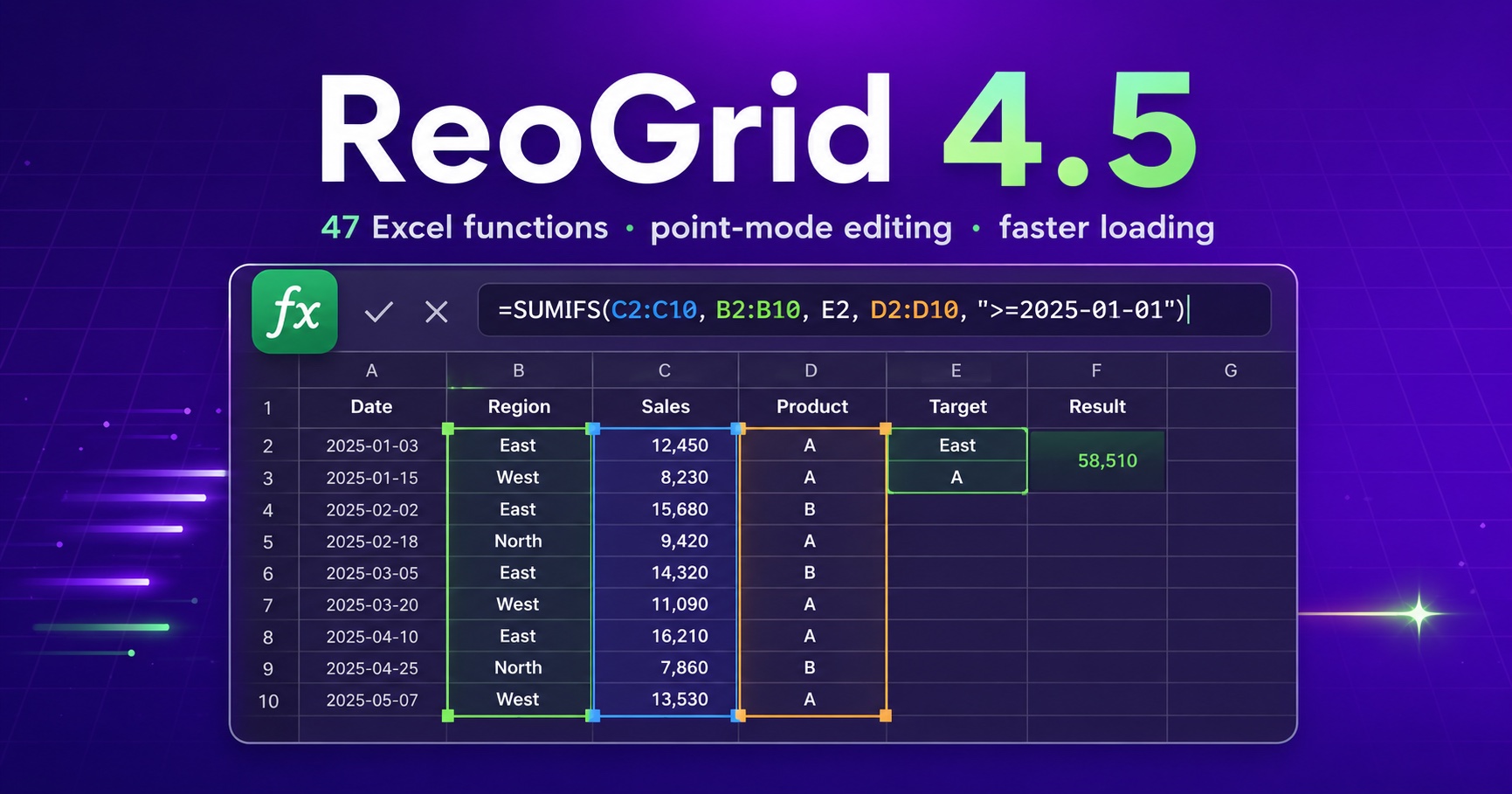
The newly released ReoGrid 4.5 centers on major upgrades to the formula experience and a fundamental overhaul of load-time performance and memory usage for large Excel files. It adds 47 Excel-compatible formula functions in a single release, and introduces point-mode formula editing that feels just like Excel and Google Sheets.
This article walks through the main changes in 4.5.
Key Highlights
- 47 new formula functions:
IFERROR/SUMIFS/INDEX/TEXT, date and statistical functions, double-byteJIS/ASC, and more - Point-mode formula editing: click and drag cells while editing to enter references — references are color-coded and highlighted
- XLSX outline (grouping) import/export: round-trip row and column grouping with Excel files
- Major load performance & memory gains: large workbooks load faster, with memory usage cut by up to ~37% on a 10-million-cell workbook
- Stronger XLSX import compatibility: multi-section formats, theme colors, OLE / images, and more
Important: Starting with v4.5, a license key is required. When you upgrade, call
ReoGridLicense.SetLicense(string)before using the grid. See Licensing below for details.
47 New Formula Functions
We added 47 Excel-compatible formula functions in one release, focused on the functions most commonly used in business applications.
| Category | Added functions |
|---|---|
| Logical / conditional | IFERROR, IFS, SUMIFS, COUNTIFS, AVERAGEIFS |
| Lookup / reference | INDEX, OFFSET, CHOOSE |
| Math / statistics | ROUNDUP, ROUNDDOWN, INT, TRUNC, SQRT, SIGN, PI, SUMPRODUCT, RANK, LARGE, SMALL, MEDIAN, STDEV, STDEVP, VAR, VARP |
| Date / time | DATE, DATEVALUE, TIMEVALUE, WEEKDAY, WEEKNUM, EDATE, EOMONTH, NETWORKDAYS, WORKDAY |
| Text | TEXT, SUBSTITUTE, REPLACE, CONCAT, CONCATENATE, TEXTJOIN |
| Information | ISTEXT, ISNONTEXT, ISNA, ISLOGICAL, ISEVEN, ISODD |
| Double-byte (CJK) | JIS, ASC, DBCS, and a simplified PHONETIC |
Multi-condition aggregation, error handling, and other logic that you previously had to implement by hand can now be written directly with the same formulas you use in Excel.
// Multi-condition sum (region is "West" AND value >= 1000)
sheet["E1"] = "=SUMIFS(C2:C100, A2:A100, \"West\", B2:B100, \">=1000\")";

// Handle errors safely
sheet["E2"] = "=IFERROR(VLOOKUP(A2, $H$2:$J$200, 3, FALSE), \"Not found\")";

// Convert a number to a formatted string
sheet["E3"] = "=TEXT(A3, \"#,##0\")";
Keep lookup ranges on the same sheet, for now. In V4, a sheet-qualified single cell (
=Master!C1) reads from the named sheet, but a sheet-qualified range is read from the current sheet:SUM(Master!C1:C3)sums the localC1:C3, with no error. Put the table on the working sheet — off to the right, in hidden columns.

For the full list of built-in functions, including the new ones, see the Formula Functions reference.
Point-Mode Formula Editing
While editing a formula, you can now click a cell to insert or replace a cell reference at the cursor without leaving edit mode — the same feel as Excel and Google Sheets.
- Click a cell to insert its reference at the cursor
- Drag to extend it to a range reference
- Use the arrow keys to move the active reference
- Every reference in the formula is color-coded and highlighted
You can also edit the highlighted reference borders directly. Drag an edge to move the reference, or drag a corner to resize it — ranges adjust by the same “the midline decides include / exclude” rule as Excel.
For applications where end users build formulas right on the grid, this reduces input mistakes and delivers a usability that matches Excel.
XLSX Outline (Grouping) Import/Export
Row and column outlines (grouping) now round-trip with Excel files. Outline levels and collapsed state are preserved on both load and save.
We also added an API to set the position of the outline expand/collapse buttons independently for rows and columns.
// Outline buttons above the rows, and to the left of the columns
sheet.RowOutlineButtonLocation = OutlineButtonLocation.Top;
sheet.ColumnOutlineButtonLocation = OutlineButtonLocation.Left;
Major Load Performance & Memory Improvements
We took a fundamental look at loading large Excel files, on both processing time and memory.
- Lazy sheet loading: workbooks with many sheets load the open sheet up front, and each of the others when it is first accessed
- Lower memory usage: reduced memory usage by about 37% on a 10-million-cell workbook (3.9 GB → 2.5 GB). Further optimization cut memory by another ~40% and load time by ~60%
- Faster loading: cell loading is about 50% faster
We also added an API to release cached styles after a large bulk load.
// Release cached styles after a bulk load
sheet.ClearStyleCache();
We plan to cover the memory improvements and benchmarks in a follow-up article.
Stronger XLSX Import Compatibility
We strengthened support for the patterns commonly found in real-world business files.
- Multi-section formats: support for conditional, multi-section custom number formats
- Theme colors: fixed colors being loaded with light/dark swapped, so cells now show the correct color
- Rich text: correct interpretation of formatting (whether bold is on) and splitting into lines at each line break
- Images & OLE: display of images anchored to a cell position (such as stamps) and the preview image of embedded OLE objects
- Inline strings: inline-string cells are now loaded as text
Bug Fixes
The main fixes are as follows.
- Formulas: fixed a rare crash when clicking a cell partway through typing a function name
- Styles: fixed an issue where changing one of several cells that share a style also changed the others
- Styles / fonts: fixed an issue where cells that inherit a font changed size or weight when an edit was committed or on redraw
- Printing: fixed an empty sheet being split across two pages, and an exception when dragging a page break
- Excel import: fixed split windows being mistaken for frozen panes, which crashed the entire sheet load
New APIs
The main new APIs available in v4.5 are as follows.
// Release memory
sheet.ClearStyleCache();
sheet.ClearStyleCache(new RangePosition("A1:Z1000"));

// Per-row / per-column outline button location
sheet.RowOutlineButtonLocation = OutlineButtonLocation.Top;
sheet.ColumnOutlineButtonLocation = OutlineButtonLocation.Left;

// Lazy-loading data source (range inferred automatically)
sheet.AddDataSource(myLazySource, DataSourceLoadMode.LazyLoading);
Licensing
Starting with v4.5, a license key is required.
Set a valid license key with ReoGridLicense.SetLicense(string) before use. If no key is set, a gray overlay covers the entire grid and mouse/keyboard input, cell editing, and printing are blocked.
// Set the key once, e.g. at application startup
ReoGridLicense.SetLicense("(the license key from your customer portal)");- License keys are tamper-protected with a digital signature.
- License keys are available from the customer portal (https://portal.unvell.com/).
How to Upgrade
ReoGrid V4 and later are provided as commercial editions. The latest assemblies can be downloaded by signing in to your customer portal.
- Customer portal: https://portal.unvell.com/
For existing projects, replace the referenced assembly with the downloaded version, and add a call to ReoGridLicense.SetLicense(string) at startup before using the grid.
Closing
ReoGrid 4.5 focuses on strengthening the expressiveness and usability of formulas and improving load performance and memory usage for large Excel files.
If you want to offer Excel-like formula capabilities directly in your application, or if loading large workbooks has been slow, give 4.5 a try.