
Auto-fill infers the pattern in a source range and extends it into an adjacent one.
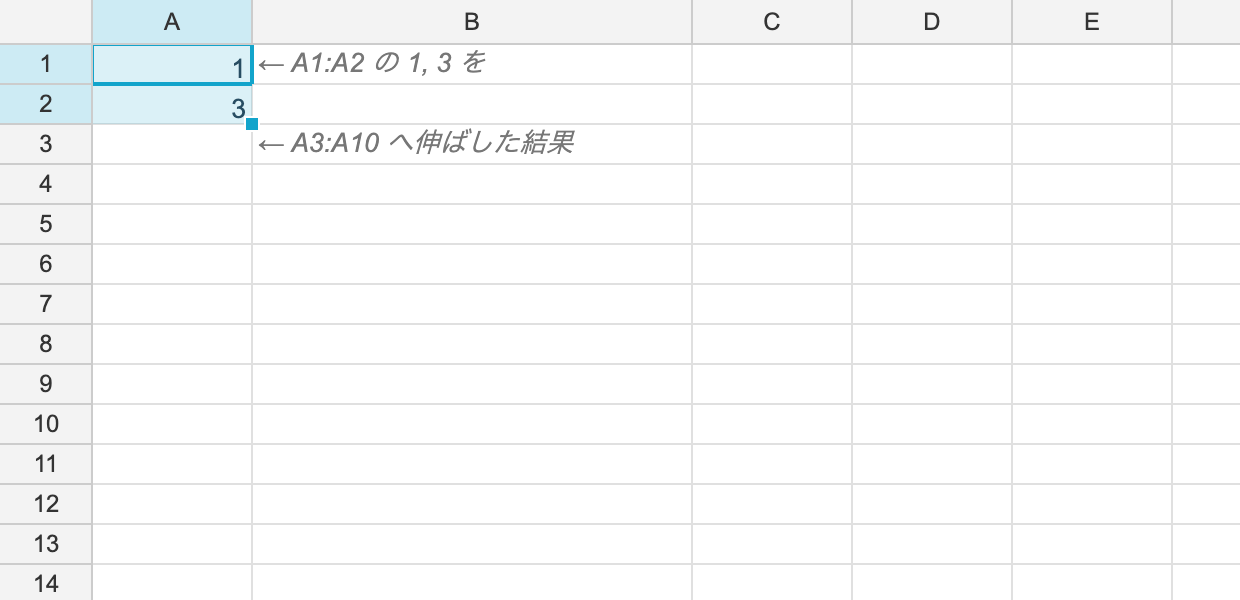
From the API
ws.SetNumber(0, 0, 1);
ws.SetNumber(1, 0, 3);

// extend the A1:A2 pattern into A3:A10 -> 5, 7, 9, ...
RangePosition filled = ws.AutoFill(
	source: RangePosition.Parse("A1:A2"),
	target: RangePosition.Parse("A3:A10"));
The return value is the range that was actually filled.
How the pattern is inferred
Each lane is inferred independently (one column when filling vertically, one row when filling horizontally).
| Source content | How it extends |
|---|---|
| A formula | relative references are offset ($-pinned ones stay; going out of bounds gives #REF!) |
An arithmetic series (1, 3) | continues with the same step (5, 7, 9) |
| A date | advances by one day, or by the source’s own interval |
| Anything else | is copied |
A single number is copied rather than extended (as in Excel). Producing a series needs at least two.
What travels with the values
Not just values — styles, number formats and cell types propagate too, so extending an already-formatted column does not break its appearance.
From the UI
A fill handle appears at the bottom-right of the selection. Dragging it locks to one axis and previews the destination with a dashed outline.
Relationship to copy and paste
Pasting through the clipboard also offsets relative references to suit the destination (the same behaviour as Excel and V4), because the HTML ReoGrid writes carries anchor information.
See Clipboard.
Undo
Auto-fill is recorded in the history.