
Sorting a range moves whole rows — values, styles, formulas and borders together.
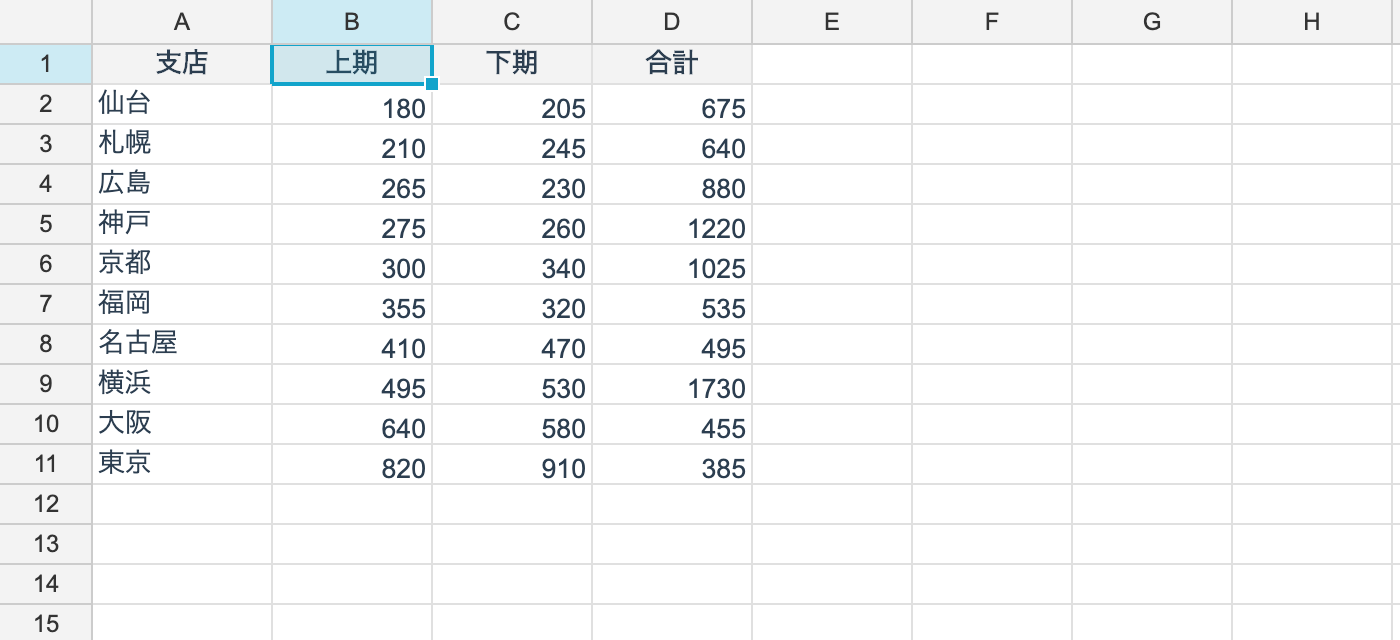
A single key
using unvell.ReoGrid.Core;

// one key. The whole row moves together (values, styles, formulas, borders)
int moved = ws.SortRange(RangePosition.Parse("A2:D100"), keyColumn: 1);

// descending
ws.SortRange(RangePosition.Parse("A2:D100"), keyColumn: 1, SortOrder.Descending);

// when the range you pass includes the header row
ws.SortRangeWithHeader(RangePosition.Parse("A1:D100"), keyColumn: 1);
The return value is how many rows moved.
SortRangeWithHeader excludes the range’s first row as a header before sorting. When you
can name a range that already omits the header, SortRange is fine.
Multiple keys
// keys in priority order. The sort is stable, so equal rows keep their order
ws.SortRange(RangePosition.Parse("A2:D100"),
[
	new SortKey(2, SortOrder.Ascending),
	new SortKey(1, SortOrder.Descending),
]);
SortKey is a record struct of a column index and a direction. The array order is the
priority order.
What moves
The whole row.
| Moves with the row |
|---|
| Cell values and formulas |
| Styles, number formats, rich text |
| Borders |
Formulas move verbatim, as text, and are re-evaluated at their new position. Relative references do not shift as a result of the move (as in Excel).
Comparison order
Comparison is typed — not a string comparison — so 10 sorts after 9.
| Order (ascending) |
|---|
| 1. Numbers, dates and booleans (compared numerically) |
| 2. Text (case-insensitive) |
| 3. Error values |
| 4. Empty cells (always last) |
Empty cells stay last in descending order too. Excel does the same.
Relationship to filtering
Hidden rows are excluded from the sort. Sorting while a filter is applied rearranges only the rows that are visible.
Limitations
- A range containing merged cells cannot be sorted. It throws. Excel has the same restriction
Undo
Sorting is recorded in the history. control.Undo() restores the original order.
From the UI
The control has helpers.
| Member | What it does |
|---|---|
control.SortByActiveColumn(order) | Sorts by the active cell’s column |
control.ShowCustomSortDialog() | A dialog taking up to three keys |
Sorting is also available from the auto-filter dropdown.