
A formula error is a value, not an exception. The cell displays the error, and it propagates into any formula referencing it.
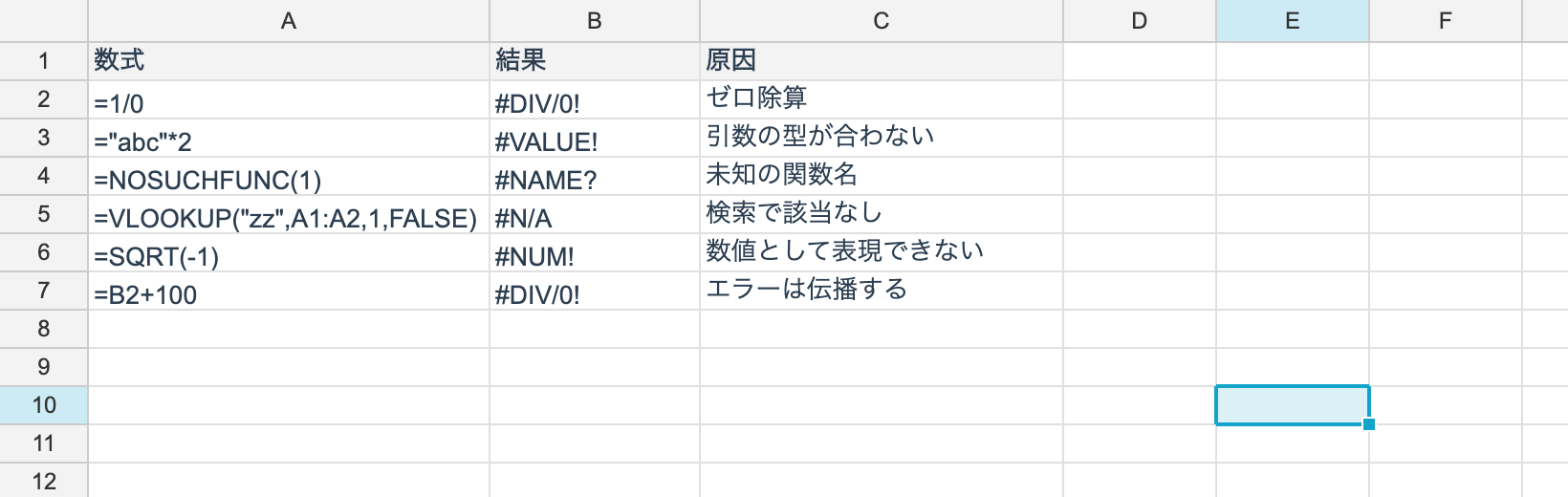
The list
| Displayed | Enum | Usual cause |
|---|---|---|
#DIV/0! | Div0 | Division by zero |
#VALUE! | Value | An argument of the wrong type |
#REF! | Ref | The referenced cell was deleted |
#NAME? | Name | An unknown function or an undefined name |
#N/A | NA | A lookup found nothing, or too few arguments |
#NUM! | Num | The result cannot be represented as a number |
#NULL! | Null | Intersection of ranges that do not overlap |
#CIRCULAR! | Circular | A circular reference |
#CIRCULAR! is not something Excel displays — Excel warns with a dialog. V5 has to work
headless, so it returns it as a value.
The enum is unvell.ReoGrid.Core.Formula.FormulaError.
Propagation
When any argument is an error, that error is generally what comes back.
A1 = 1/0        -> #DIV/0!
A2 = A1 + 10    -> #DIV/0!   (propagates)
A3 = SUM(A1:A2) -> #DIV/0!
The exceptions are the functions whose job is to receive an error — IFERROR, IFNA,
ISERROR, ISERR and ISNA.
Handling them
ws.SetFormula(0, 0, "1/0");                  // #DIV/0!
ws.SetFormula(1, 0, "IFERROR(A1, 0)");       // replace an error with a default
ws.SetFormula(2, 0, "IFNA(VLOOKUP(\"x\", A1:B9, 2, FALSE), \"not found\")");

string shown = ws.GetDisplayText(0, 0); // "#DIV/0!"| Function | Catches |
|---|---|
IFERROR(value, fallback) | every error |
IFNA(value, fallback) | #N/A only |
When you only mean to handle “VLOOKUP found nothing”, use IFNA. IFERROR also hides
genuine mistakes such as an argument of the wrong type.
Testing from code
An error cell’s CellValue has Kind set to Error.
ws.GetValue(r, c).Kind == CellValueKind.ErrorFor the displayed text, GetDisplayText(r, c) returns a string like "#DIV/0!".
GetObjectValue(r, c) returns the error’s string form. Treating it as a number will fail, so
check Kind in aggregation code.
ISERROR versus ISERR
| Function | True for #N/A? |
|---|---|
ISERROR | yes (every error) |
ISERR | no (everything except #N/A) |
Same as Excel.