
A note is Excel’s note (the old comment: a single-author sticky), one per cell. Threaded comments with replies are out of scope.
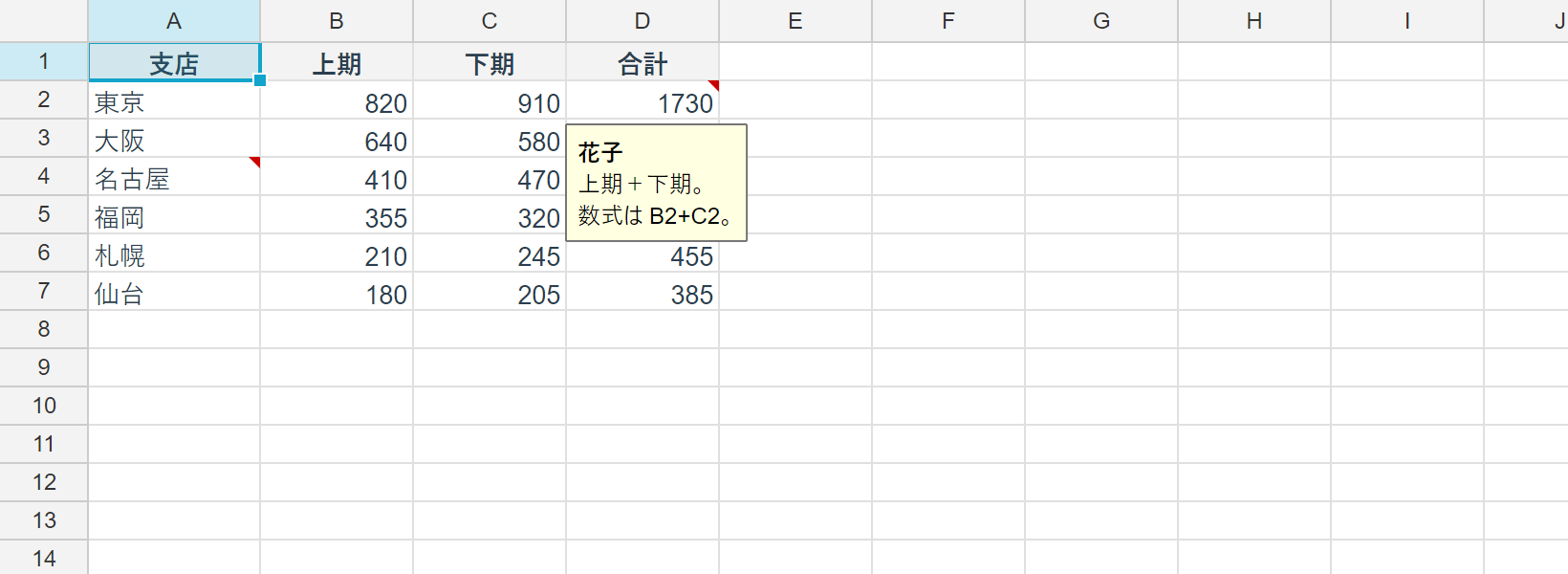
Attaching one
using unvell.ReoGrid.Core;
using unvell.ReoGrid.Core.Comments;

// attach a note (one per cell; setting again replaces it)
ws.SetComment(1, 1, "Check the quote basis", author: "Kaori");

// keep the bubble open instead of showing it on hover
ws.SetComment(2, 1, "Updated monthly", author: "Kaori", visible: true);
author is optional. visible keeps the bubble open — Excel’s “Show/Hide Note”.
Reading
CellComment? comment = ws.GetComment(1, 1);
if (comment != null)
{
	string text = comment.Text;
	string? author = comment.Author;
	bool pinned = comment.Visible;
	_ = (text, author, pinned);
}

// every note on the sheet, in row-major order
foreach (var c in ws.Comments.Items)
{
	_ = $"{c.Cell.ToAddress()}: {c.Text}";
}

bool any = ws.HasComments;
_ = any;
Items comes back row-major, and both writers emit in that order — so saving a workbook
again produces the same bytes.
Changing and deleting
// pin it open / hand it back to hover
ws.SetCommentVisible(1, 1, true);

// delete one — an empty SetComment does the same
ws.RemoveComment(1, 1);
ws.SetComment(2, 1, "");

// or a whole range
int removed = ws.Comments.RemoveRange(RangePosition.Parse("A1:D100"));
_ = removed;
Inserting and deleting rows and columns
A note rides its cell: inserting rows or columns moves it along, and deleting the cell it annotates takes the note with it. Undo brings it back.
Rendering
- An annotated cell gets a red triangle in its top-right corner.
- The note shows in a bubble while the pointer is anywhere over that cell (as in Excel); a
note with
Visibleset is always shown. - The bubble’s heading is the
Author. - Notes are not printed or exported to PDF (
GridViewport.ShowCommentsis off there) — Excel does not print them by default either.
Both the drawing and the hit-testing live in the core GridViewport, so WinForms, WPF and
Avalonia behave identically.
Undo and I/O
- Editing and deleting notes records an undo step through
RangeFacets.Comments. - reogrid-json: stored as the sheet’s
comments, the same shape reogrid-web uses. - XLSX: written as both
xl/comments{n}.xmland the legacy VML that carries the box and the shown/hidden state — Excel treats a file with only one of them as needing repair. Excel bakes a boldAuthor:run into the note body, so that run is added on write and stripped on read; V5’s separateAuthorsurvives a round-trip through Excel.
Trying it in Studio
Review ▸ Edit Note…(Shift+F2) opens the editor. Clearing the text deletes the note.Review ▸ Show / Hide Notetoggles the pinned state.Review ▸ Delete Noteremoves the notes in the selection.- The cell’s right-click menu offers the same commands.