
Merges are held by ws.Merges (a MergeTable), separately from cell values. Cells that are
not merged never appear in it, so the cost is proportional to the number of merges — not to
the size of the sheet.
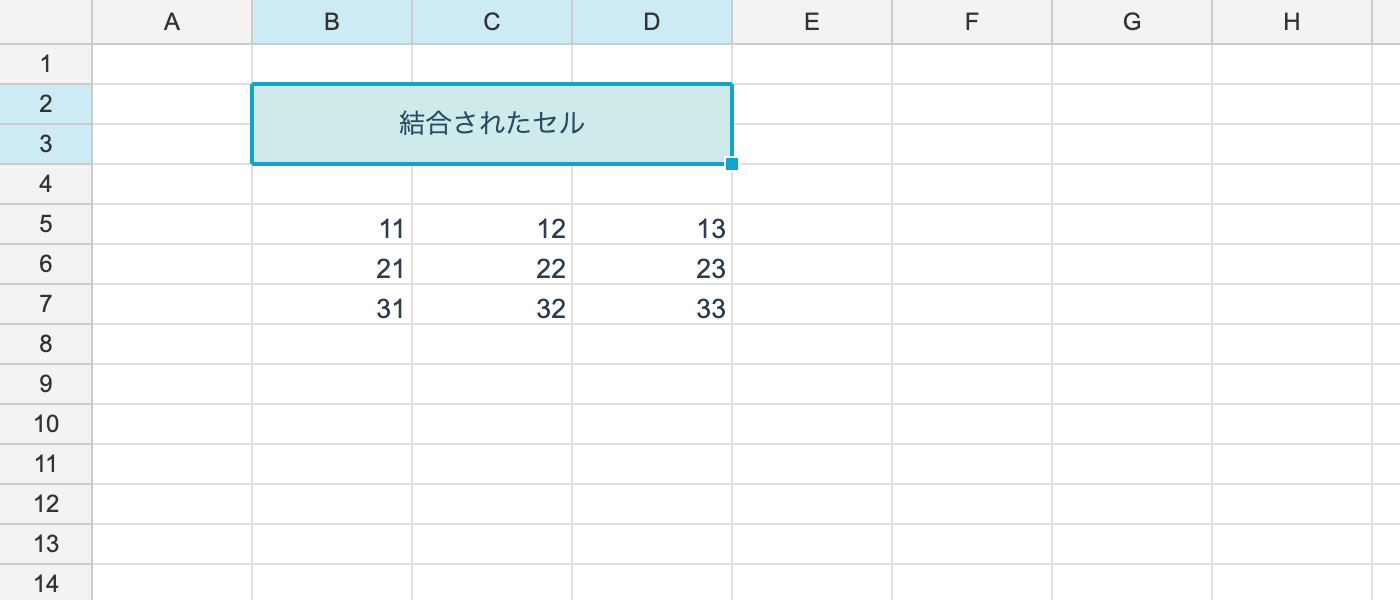
Merging and unmerging
using unvell.ReoGrid.Core;

ws.MergeRange(RangePosition.Parse("B2:D3"));

bool merged = ws.Merges.IsMerged(1, 1);
bool isAnchor = ws.Merges.IsAnchor(1, 1);      // is this the top-left cell?

ws.UnmergeAt(1, 1);                            // any cell inside the range will do
Once merged, the value and formatting of the range’s top-left cell (the anchor) is what
gets displayed. UnmergeAt removes the whole merge no matter which cell inside it you name.
Inspecting
if (ws.Merges.TryGetAt(1, 1, out var range))
	Console.WriteLine(range.ToAddress());      // "B2:D3"

int count = ws.Merges.Count;
foreach (var r in ws.Merges.Ranges)
	Console.WriteLine(r.ToAddress());
TryGetAt returns the full merged range from any cell inside it.
Growing a selection to whole merges
// when the selection clips a merged cell, grow it to cover the whole merge
RangePosition full = ws.Merges.ExpandToIncludeMerges(selection);
Use this when deciding what a copy or a formatting change should apply to. Acting on part of a merge makes the display and the underlying data disagree, so — as in Excel — growing the range is the default behaviour.
Insert and delete
Merged ranges follow row and column insertion and deletion automatically. When a deletion removes a merged range entirely, the merge itself goes away with it.
Limits
- A range containing merges cannot be sorted. Sorting rejects such a range. Excel has the same restriction
Members of MergeTable
| Member | What it does |
|---|---|
IsMerged(r, c) | Is this cell part of a merge? |
IsAnchor(r, c) | Is this the merge’s top-left cell? |
TryGetAt(r, c, out range) | The merged range containing this cell |
Ranges / Count | The merges, and how many there are |
ExpandToIncludeMerges(range) | Grows a range out to whole merges |
Clear() | Removes every merge |
Add and remove through ws.MergeRange(...) / ws.UnmergeAt(...) — driving the table
directly skips the related bookkeeping.