Set the RotateAngle property of the style object to rotate text inside a cell. For example:
var cell = sheet.Cells["A1"];
cell.Data = "Hello World";
cell.Style.RotateAngle = 90;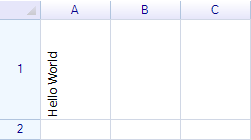
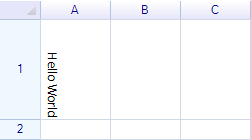
Example: Rotate -90°
The rotation angle range is from -90° to 90°.
Multi-line text rotation
To display multi-line text, set the TextWrap property of the style object to WordBreak.
var cell = sheet.Cells["A1"];
cell.Data = ".NET Spreadsheet\\nComponent";
cell.Style.TextWrap = TextWrapMode.WordBreak;
cell.Style.RotateAngle = -45;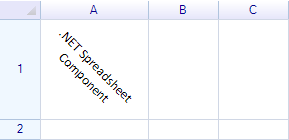
Rotated text alignment
Horizontal and vertical alignment also apply to rotated text. For example, it is possible to position rotated text at the left, center, or right.
cell = sheet.Cells["A1"];
cell.Data = "Hello World";
cell.Style.HAlign = ReoGridHorAlign.Left;
cell.Style.RotateAngle = 90;

cell = sheet.Cells["B1"];
cell.Data = "Hello World";
cell.Style.HAlign = ReoGridHorAlign.Center;
cell.Style.RotateAngle = 90;

cell = sheet.Cells["C1"];
cell.Data = "Hello World";
cell.Style.HAlign = ReoGridHorAlign.Right;
cell.Style.RotateAngle = 90;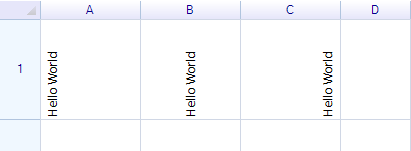
Excel import/export support
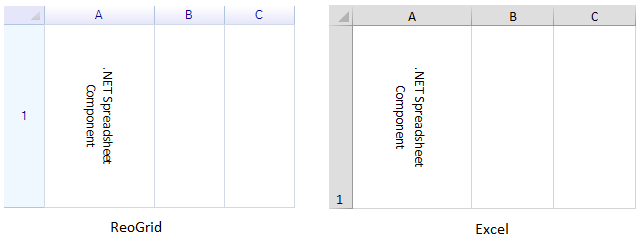
Text rotation settings are saved to and loaded from Excel files automatically.