ReoGrid is fully available in VB.NET since it is developed with C#.NET; both languages are based on the .NET Framework.
Make a spreadsheet template with Excel
ReoGrid supports loading and saving Excel (.xlsx) files. It is possible to create spreadsheet templates in Excel and display them in any .NET application with ReoGrid. See Excel file format.
Make a spreadsheet template with ReoGridEditor
See How to create a template to show a spreadsheet on a Windows form.
Put ReoGrid on a Windows Form
To put ReoGrid on a Windows form in VB.NET, use the following code:
Dim grid As New unvell.ReoGrid.ReoGridControl
grid.Dock = DockStyle.Fill
Me.Controls.Add(grid)

'Get default worksheet instance
Dim sheet = grid.CurrentWorksheet
'Set cell value
sheet("A1") = "A"
Load a template spreadsheet
Load an Excel format template from a stream:
'Load from file
grid.Load("C:\\mypath\\template.xlsx");

'Load from stream
Using s As New System.IO.FileStream("C:\\mypath\\template.xlsx", _
    IO.FileMode.Open, IO.FileAccess.Read, IO.FileShare.Read)
  grid.Load(s, IO.FileFormat.Excel2007)
End Using
Load a ReoGrid format template from a stream:
'Load from file
sheet.Load("C:\\mypath\\template.rgf")

'Load from stream
Using s As New System.IO.FileStream("C:\\mypath\\template.rgf", _
    IO.FileMode.Open, IO.FileAccess.Read, IO.FileShare.Read)
  sheet.Load(s, IO.FileFormat.ReoGridFormat)
End Using
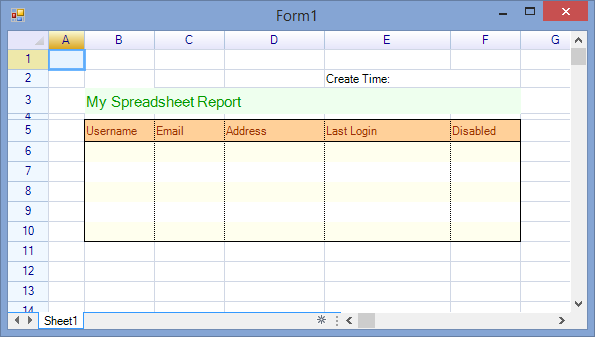
The form displays the spreadsheet as shown:
Hide the sheet tab control and scroll bars
ReoGrid has WorkbookSettings and WorksheetSettings that control many spreadsheet behaviors and appearance options. The sheet tab control and scroll bars are part of the workbook appearance and can be hidden with the following settings:
grid.SetSettings(WorkbookSettings.View_ShowSheetTabControl Or _
  WorkbookSettings.View_ShowScrolls, False)
Hide spreadsheet headers
The row header and column header are part of each worksheet. To hide the headers of the currently selected worksheet, use the following code:
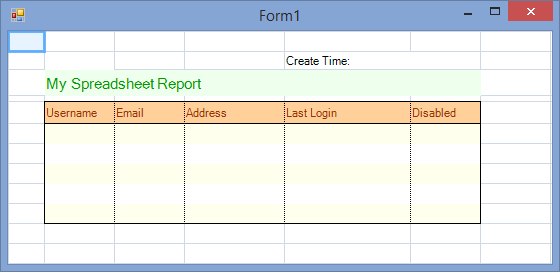
grid.CurrentWorksheet.SetSettings(WorksheetSettings.View_ShowHeaders, False)The form displays the spreadsheet as shown: