
There are 3 new events available:
- BeforeCellKeyDown
- AfterCellKeyDown
- CellKeyUp
The BeforeCellKeyDown event has an IsCancelled property that can be set to true to abort the built-in operation.
using unvell.ReoGrid;
using unvell.ReoGrid.Events;

protected override void OnLoad(EventArgs e)
{
  sheet.BeforeCellKeyDown += sheet_BeforeCellKeyDown;
}

void sheet_BeforeCellKeyDown(object sender, BeforeCellKeyDownEventArgs e)
{
  e.IsCancelled = (e.KeyCode == Keys.Enter);
}
Catching Cell Keyboard Events
Cell Key Up
This event is raised when the user releases any key on the worksheet inside a cell. For example:
void InitWorksheet()
{
  var sheet = gridControl.CurrentWorksheet;
  sheet.CellKeyUp += sheet_CellKeyUp;
}
The event handler looks like the following:
void sheet_CellKeyUp(object sender, CellKeyDownEventArgs e)
{
  MessageBox.Show("Pressed key is: " + e.KeyCode);
}
Remarks
This event is not raised when a key press inside the worksheet causes the worksheet to enter Edit mode. Typically, character keys such as A-Z, 0-9, and symbols will cause a cell to enter Edit mode. Therefore, if cells are editable, sometimes only BeforeCellKeyDown and AfterCellKeyDown can be handled.
Cell Editing Events
AfterCellEdit Event
This event is raised after the user finishes editing a cell.
See also cell edit.
Sample
Format cell data from text to [text] in AfterCellEdit:
var worksheet = reoGridControl.Worksheets[0];

worksheet.AfterCellEdit += Worksheet_AfterCellEdit;

void Worksheet_AfterCellEdit(object sender, CellAfterEditEventArgs e)
{
  e.NewData = "[" + e.NewData + "]";
}
Start editing a cell:
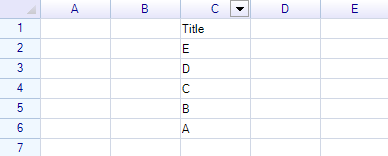
Press Enter:
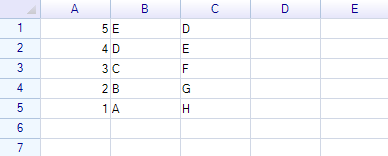
The text has been formatted.