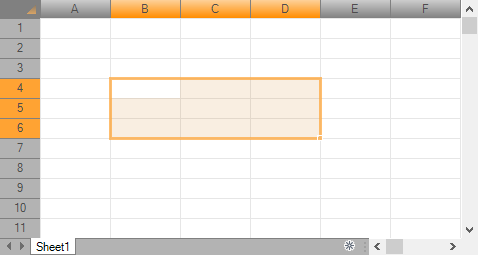
ReoGrid supports changing component styles such as colors and the width of the selection range border.

Set Control Appearance
All appearance styles are stored in a ControlAppearanceStyle object that can be retrieved or set from a component instance.
// create control style instance with theme colors
ControlAppearanceStyle rgcs = new ControlAppearanceStyle(Color.Gray, Color.DarkOrange, false);

// set text color to 'white'
rgcs[ControlAppearanceColors.GridText] = Color.Gray;

// apply appearance style
reoGridControl.ControlStyle = rgcs;
Result:
Edit Tool
There is a tool that can be used to edit the appearance of the control. Start the ReoGrid Editor, then choose Tools > Control Appearance....
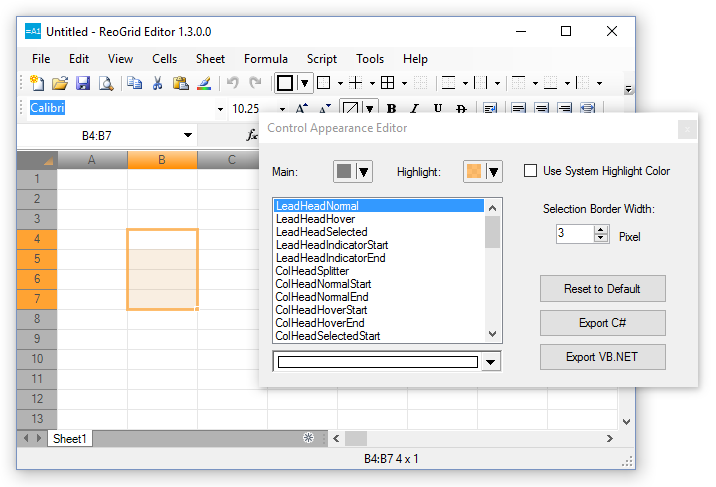
Edit your style, then press ‘Export’ to export the style as C# code:
ControlAppearanceStyle rgcs = new ControlAppearanceStyle();
rgcs[ControlAppearanceColors.LeadHeadNormal] = Color.FromArgb(255,230,230,250);
rgcs[ControlAppearanceColors.LeadHeadHover] = Color.FromArgb(0,0,0,0);
rgcs[ControlAppearanceColors.LeadHeadSelected] = Color.FromArgb(255,230,230,250);
rgcs[ControlAppearanceColors.LeadHeadIndicatorStart] = Color.FromArgb(255,220,220,220);
...
Language Localization
ReoGrid can switch the UI language automatically according to the client’s runtime environment.
| Module | English | Japanese | Russian | Chinese |
|---|---|---|---|---|
| ReoGrid | Yes | Yes | Yes | Yes |
| ReoGridEditor | Yes | Yes | Yes | |
| Demo Project | Yes | Yes |
Text used in ReoGrid is defined in a class called LanguageResource, a static class that serves solely as a collection of text strings. Modify the properties of this class to translate the default text into the target application’s language. For example:
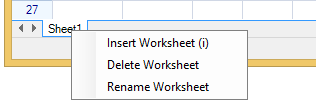
LanguageResource.Menu_InsertSheet = "Insert Worksheet";
LanguageResource.Menu_DeleteSheet = "Delete Worksheet";
LanguageResource.Menu_RenameSheet = "Rename Worksheet";
If properties have the prefix Menu or Button, you can also assign a shortcut key for menus and buttons. For example:
LanguageResource.Menu_InsertSheet = "Insert Worksheet (&i)";